
Upleveled CAD
Available nowShop drawings you can trust, in seconds.
Upleveled CAD edits the template the way your programmer would, following the same rules on every job, and flags anything it can’t resolve instead of guessing.
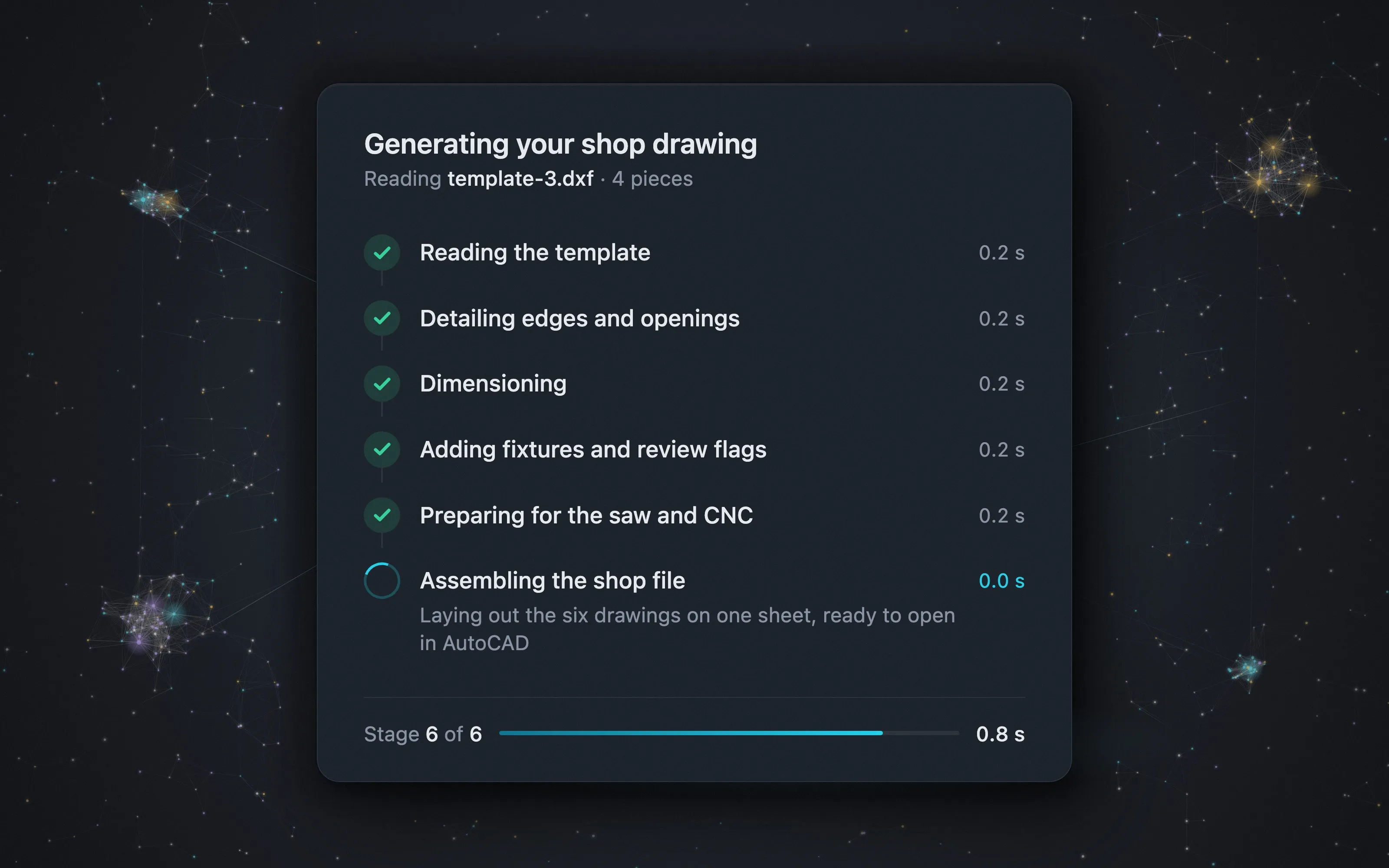
See it work
This is your programmer’s new morning.
A real template goes in. In seconds the drawings are ready. Download one, open it in AutoCAD, check it, and move to the next job.
What you get
Ready for the shop, the saw and the router.
One upload produces every drawing the job needs. Your programmer reviews them and sends them to the floor.
-
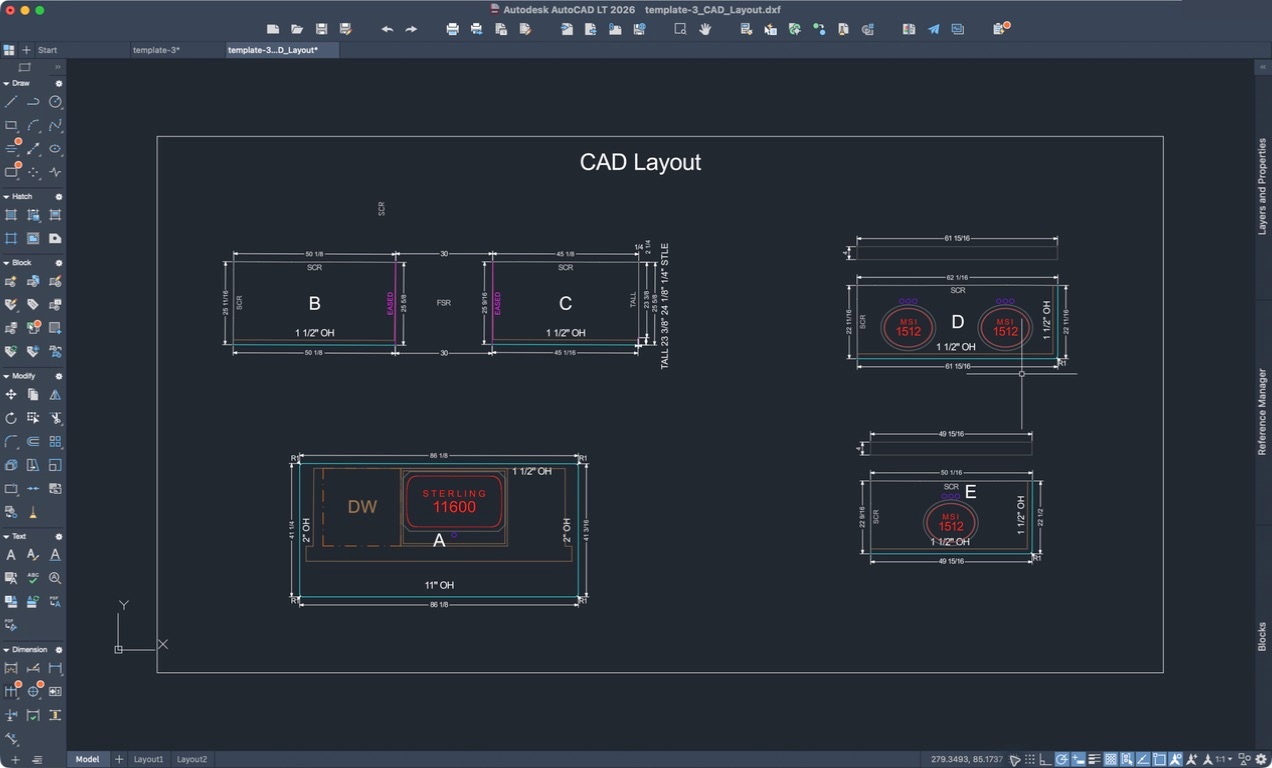
The shop drawing
Edges, dimensions, sinks and backsplash, the way your shop and your install crew need to see them.
-
The slab layout
The finished pieces, ready to lay out on the slab.
-
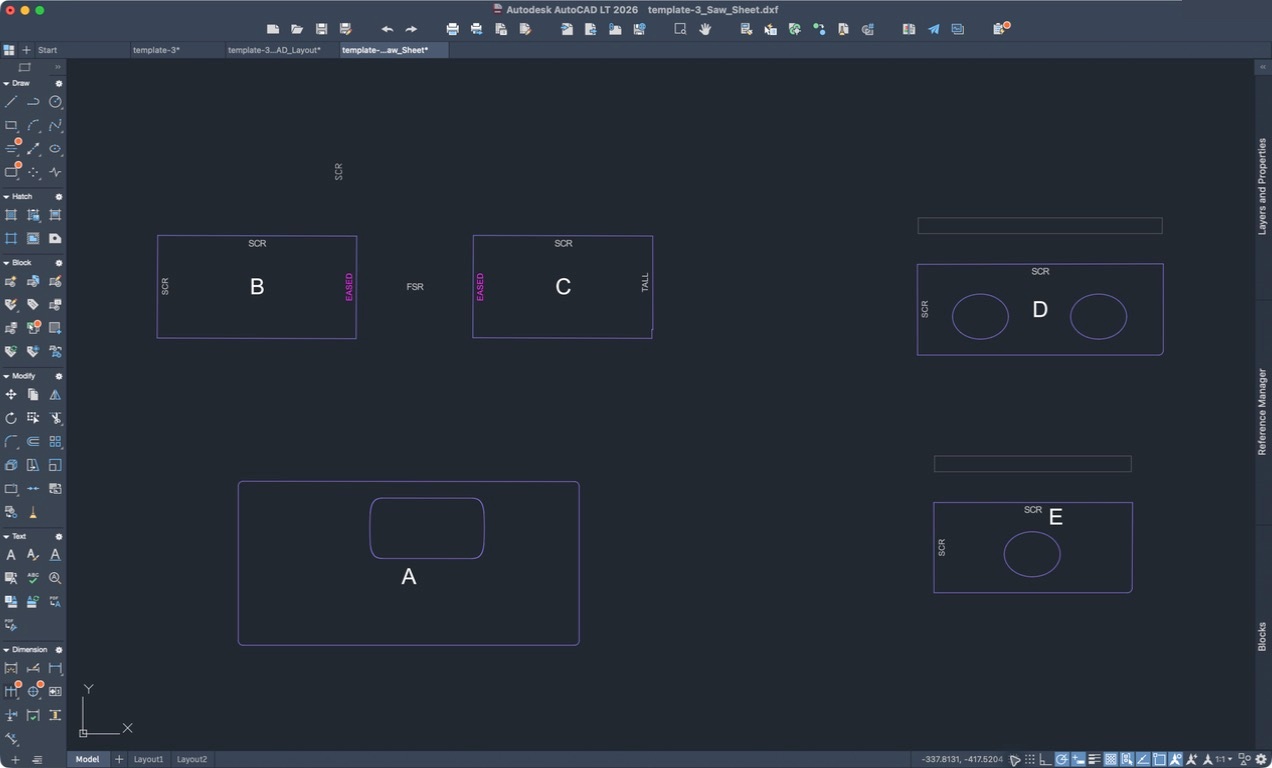
The saw drawing
Every cut line and piece label, ready for the saw.
-
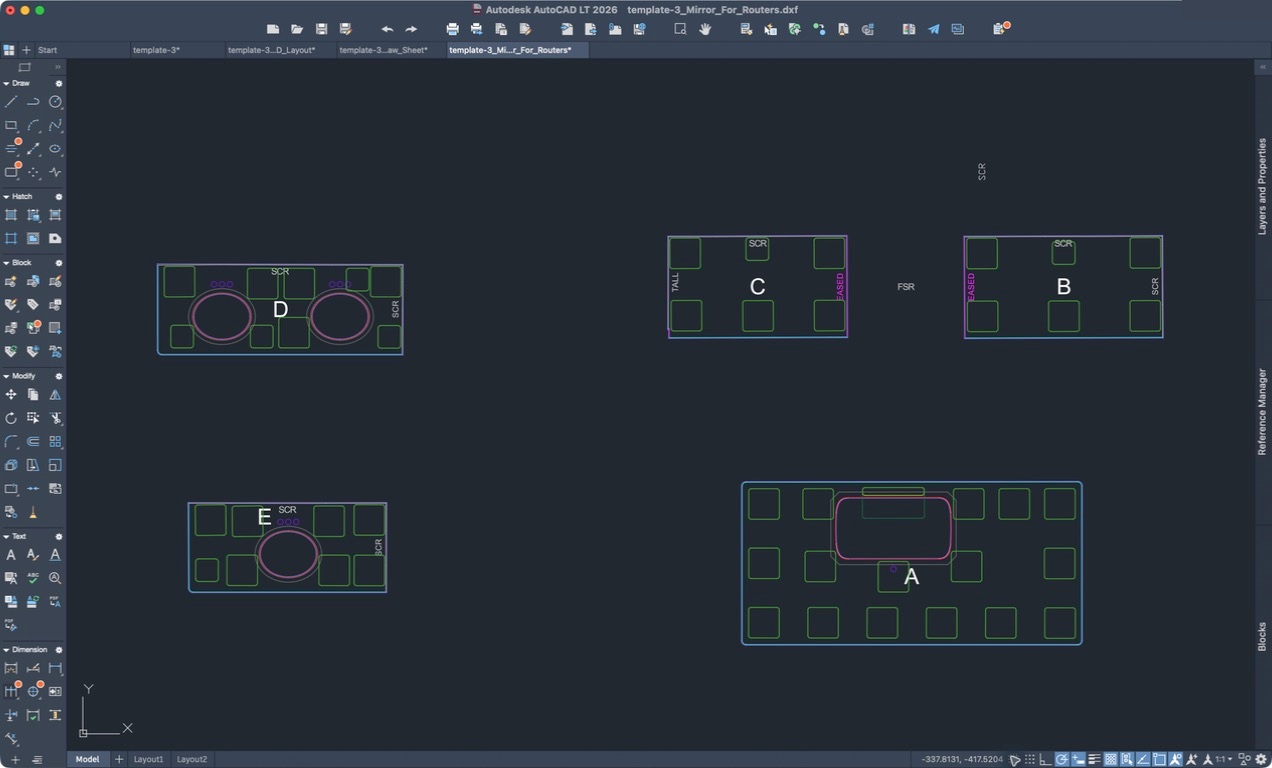
The router drawing
The job mirrored for the router, with the pods already placed.
-
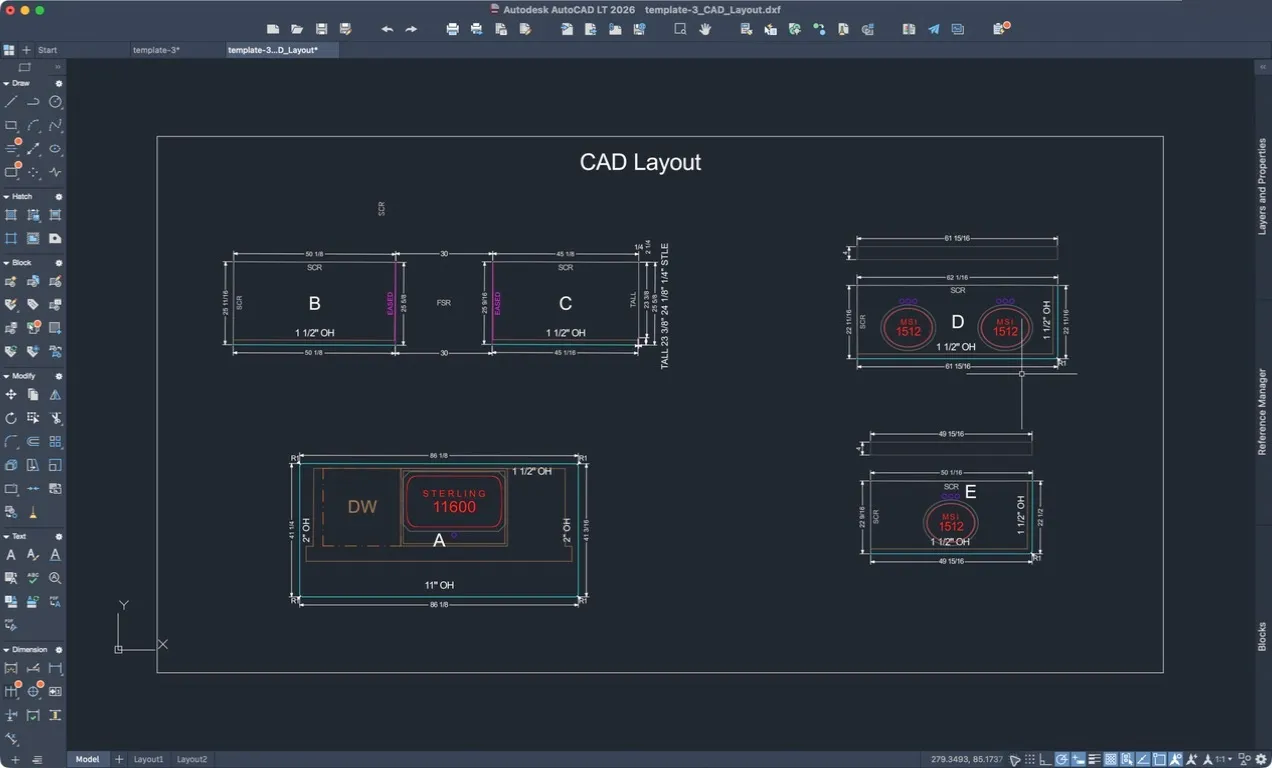 The shop drawing
 -
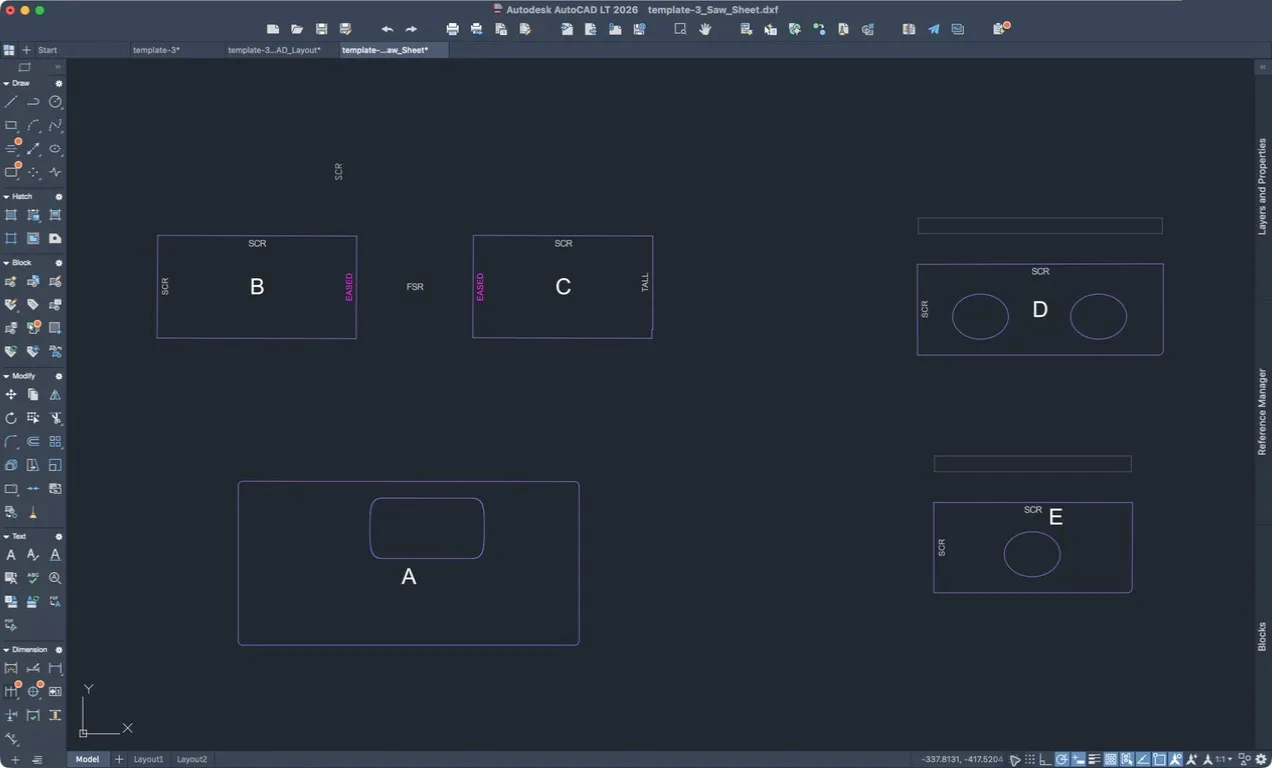 The saw drawing
 -
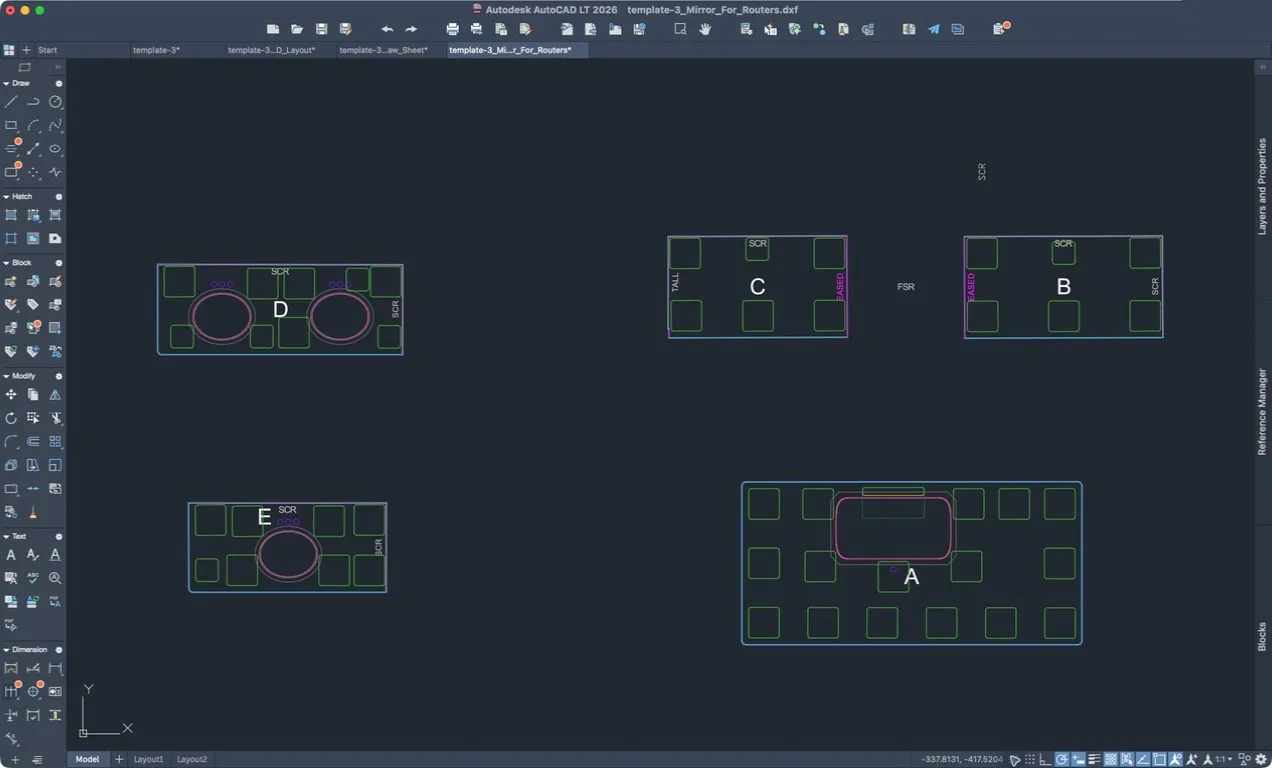 The router drawing
It doesn’t have good days and bad days.
Same template in, same drawings out, whether it’s Monday morning or the last job on Friday.
-
No surprises on the floor.
The same rules on every job, and anything unclear flagged for a person before a blade ever cuts.
-
Every rule is written down.
Rules for the trade, written by people who have run a shop, applied every time. The drawing never depends on who did it.
How it fits your shop
Only one thing changes. The wait.
Your templaters work the way they do now. Your programmer still signs off on every drawing. The hours between template and saw are what disappear.
-
Works with the files your templater already makes
Your templaters keep working exactly the way they do now. On the call, we’ll confirm it fits your setup.
-
Your programmer checks instead of builds
The editing is done. Your programmer reviews the drawings, catches what matters, and moves on to the next job.
-
Nothing to install
Upleveled CAD runs in your browser. Upload the template, download the drawings. We set up your account and stay close while you get going.
90%
less drawing preparation time
Upleveled CAD reduces drawing preparation time by 90%.
Why we built it
The ask we couldn’t keep saying no to.
Shops kept asking us for it. For about a year we heard it was being worked on, so we waited. It never arrived.
We got tired of being asked and tired of waiting, so we built it ourselves, on our own engineering fleet, with rules written by people who have run a shop. It stands on its own: you don’t need anything else from us to use it.
See it on your own work.
Set up time with the team. Bring a template, and we’ll show you what comes out.